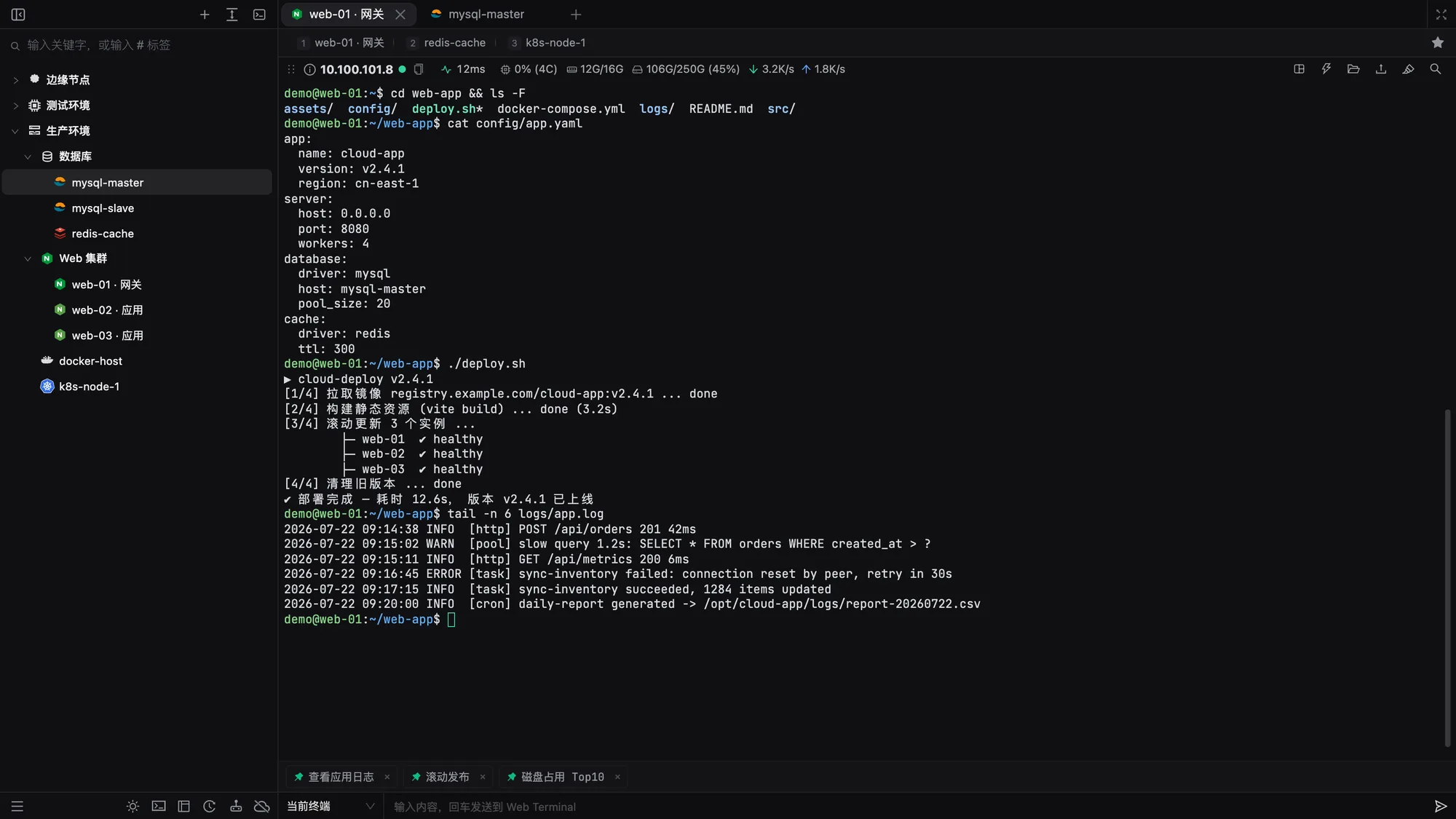
Manage SSH, Redis, Telnet, serial, and RDP in one place, with the same experience on Web, Windows, and macOS. End-to-end encrypted connections, credentials, and settings, with real-time sync and built-in team collaboration.
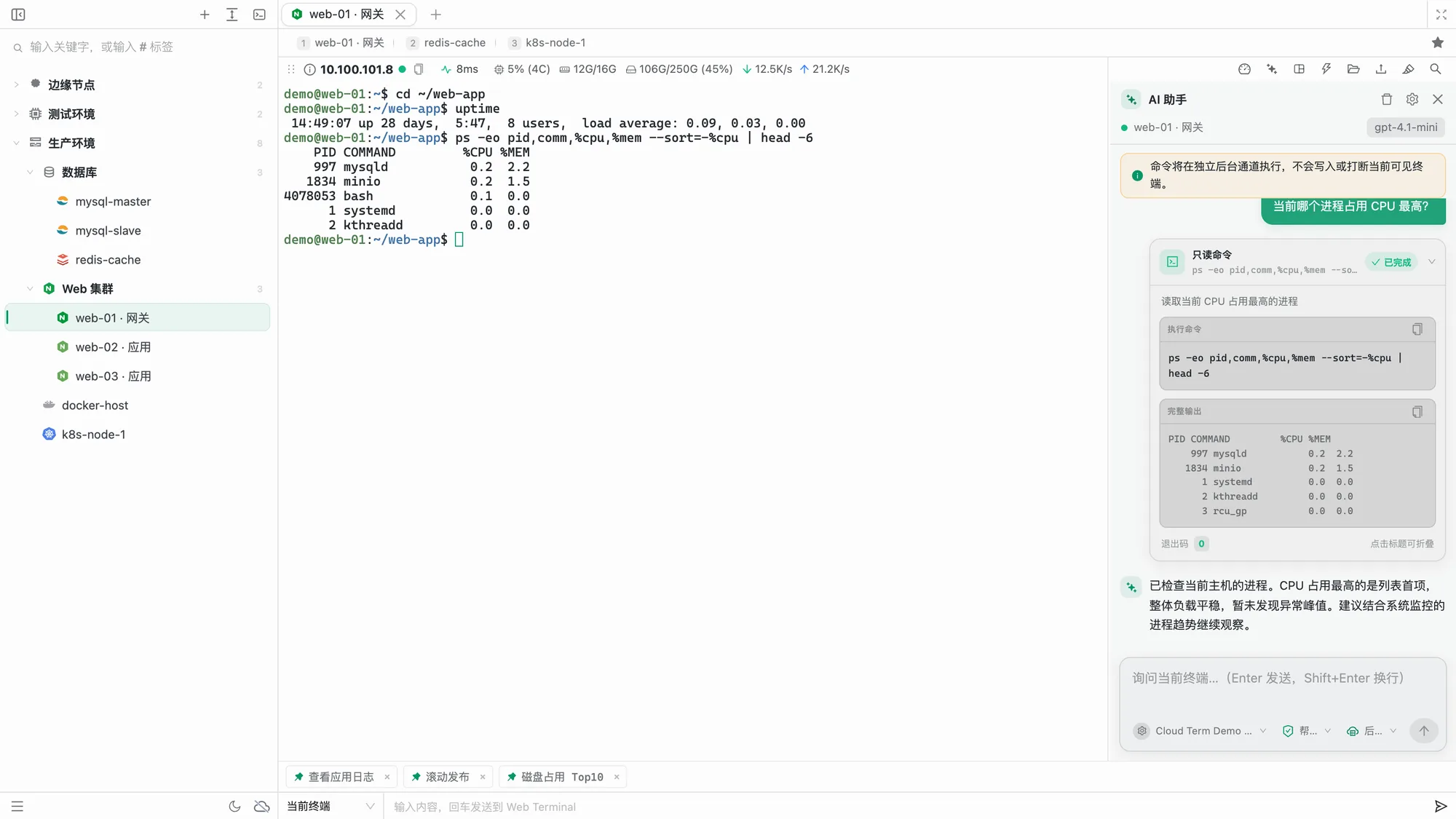
Diagnose hosts and run commands with your current terminal context. Use multiple OpenAI-compatible APIs, switch models, auto-approve read-only commands, and run in the foreground or background. On desktop, an MCP server lets external AI tools work with SSH sessions after you approve them.
🔌
Beyond SSH
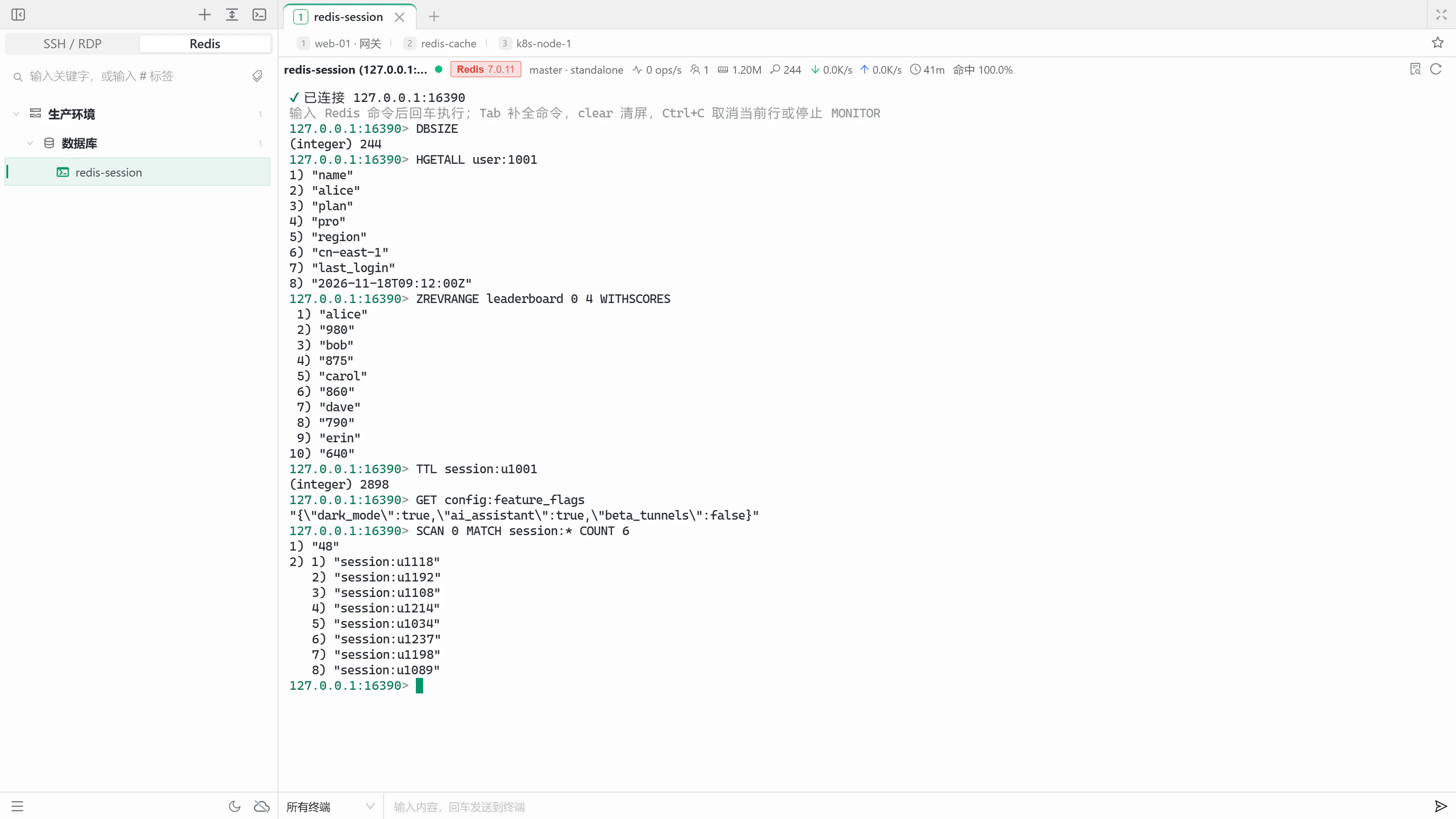
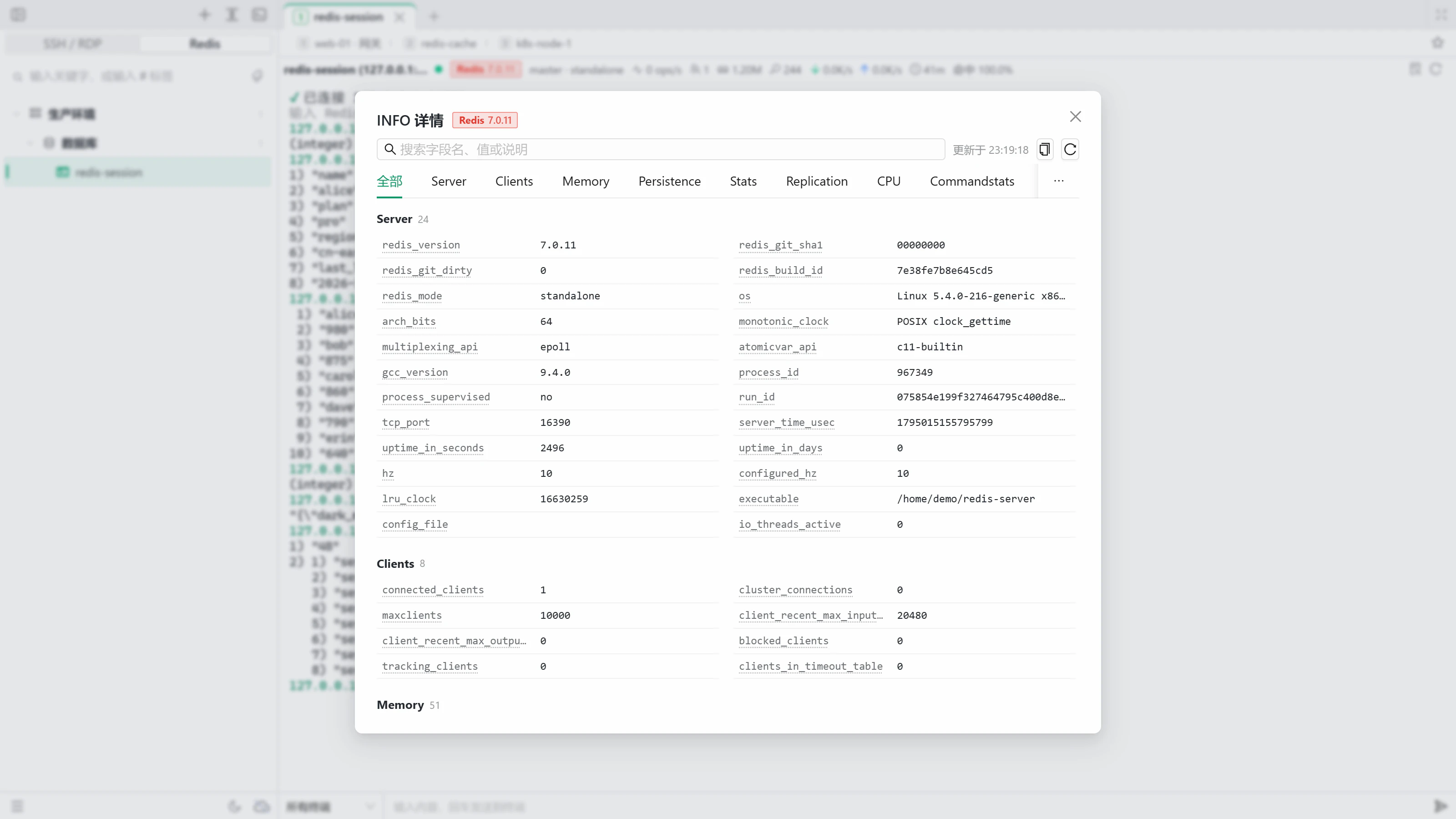
Manage SSH, Redis (standalone / Sentinel / Cluster), Telnet, serial, and RDP from one sidebar. The Redis terminal adds an INFO status bar, inline editing, and MONITOR filtering.
Enable command completion, file previews (Cmd/Ctrl+click for images, logs, and Markdown), IP lookup, JSON formatting, and task notifications as you need them.
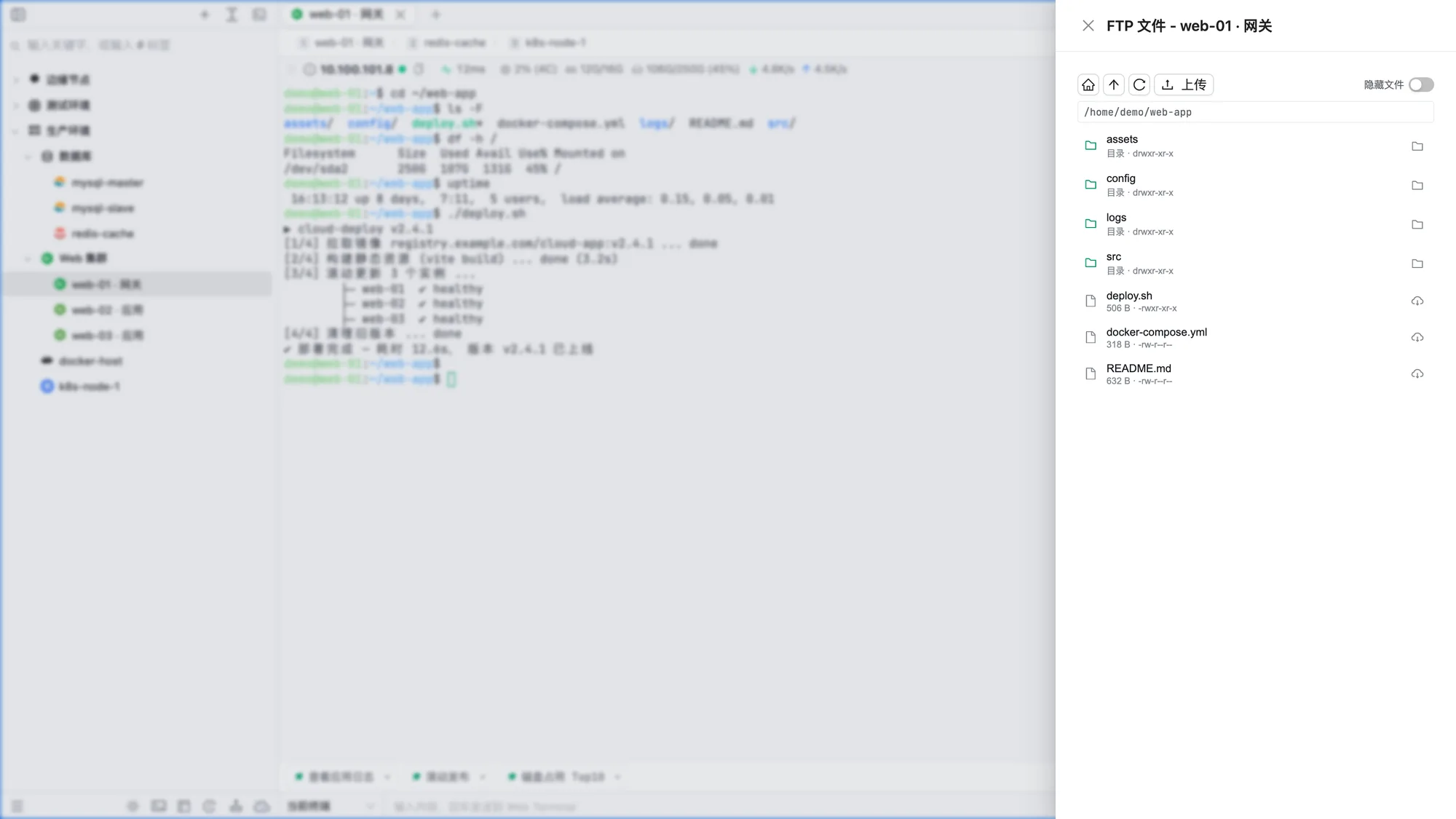
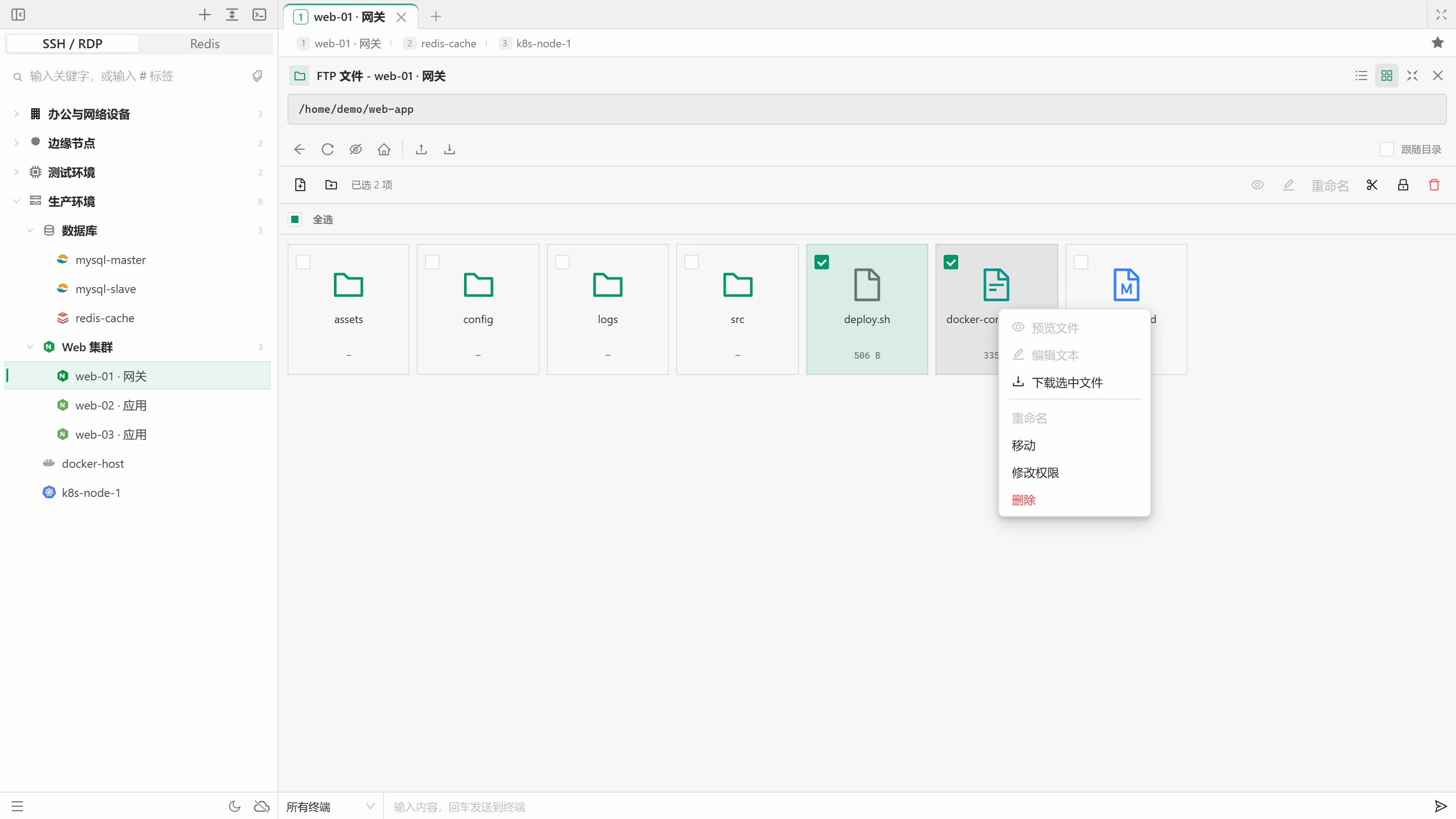
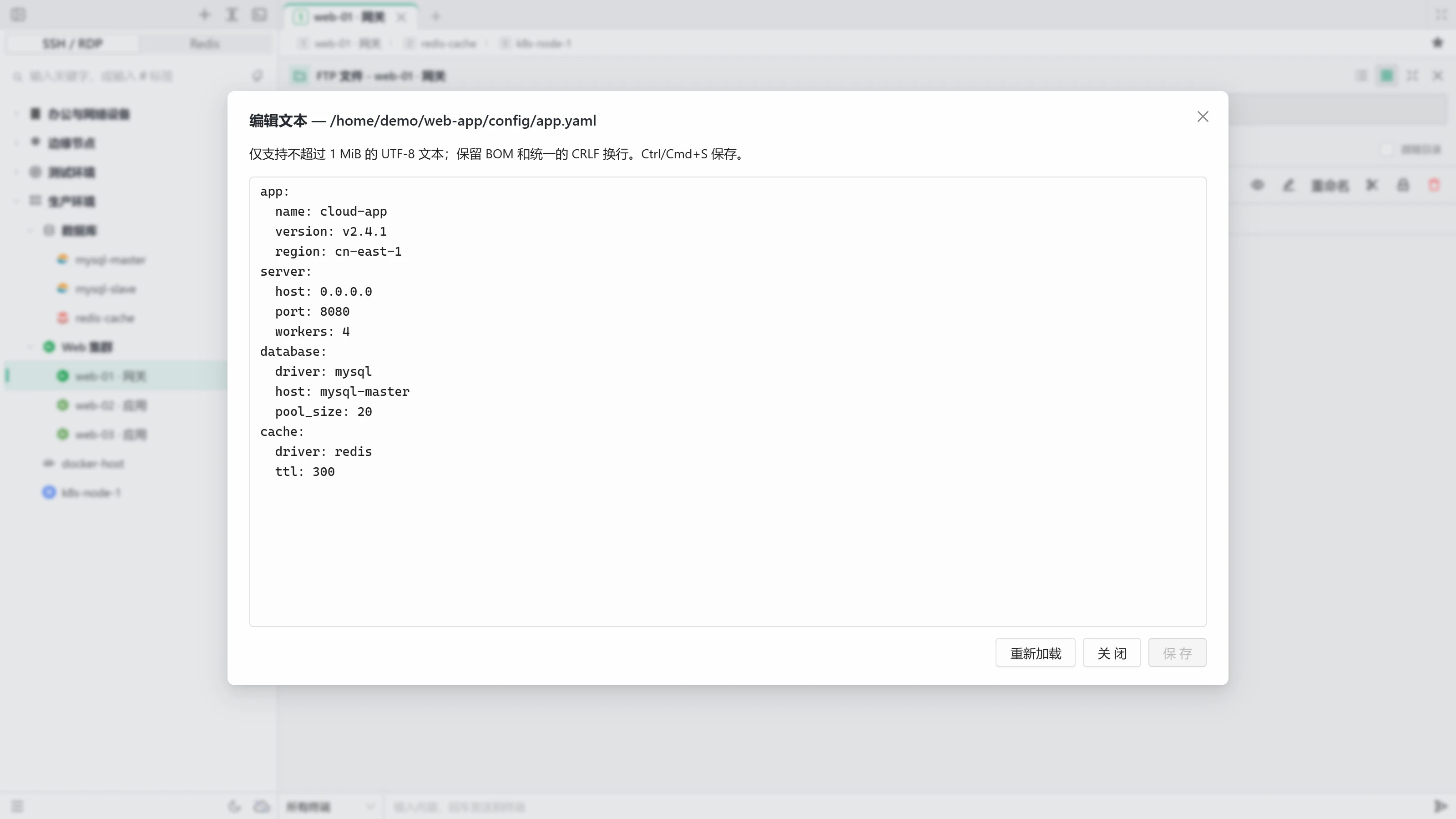
Browse files in a list, a grid, or full screen inside the terminal. Create, rename, move, delete, and change permissions, and edit text files up to 1 MiB online. Drag-and-drop uploads and rz/sz queue automatically with live speed.
📊
Monitoring and disk analysis
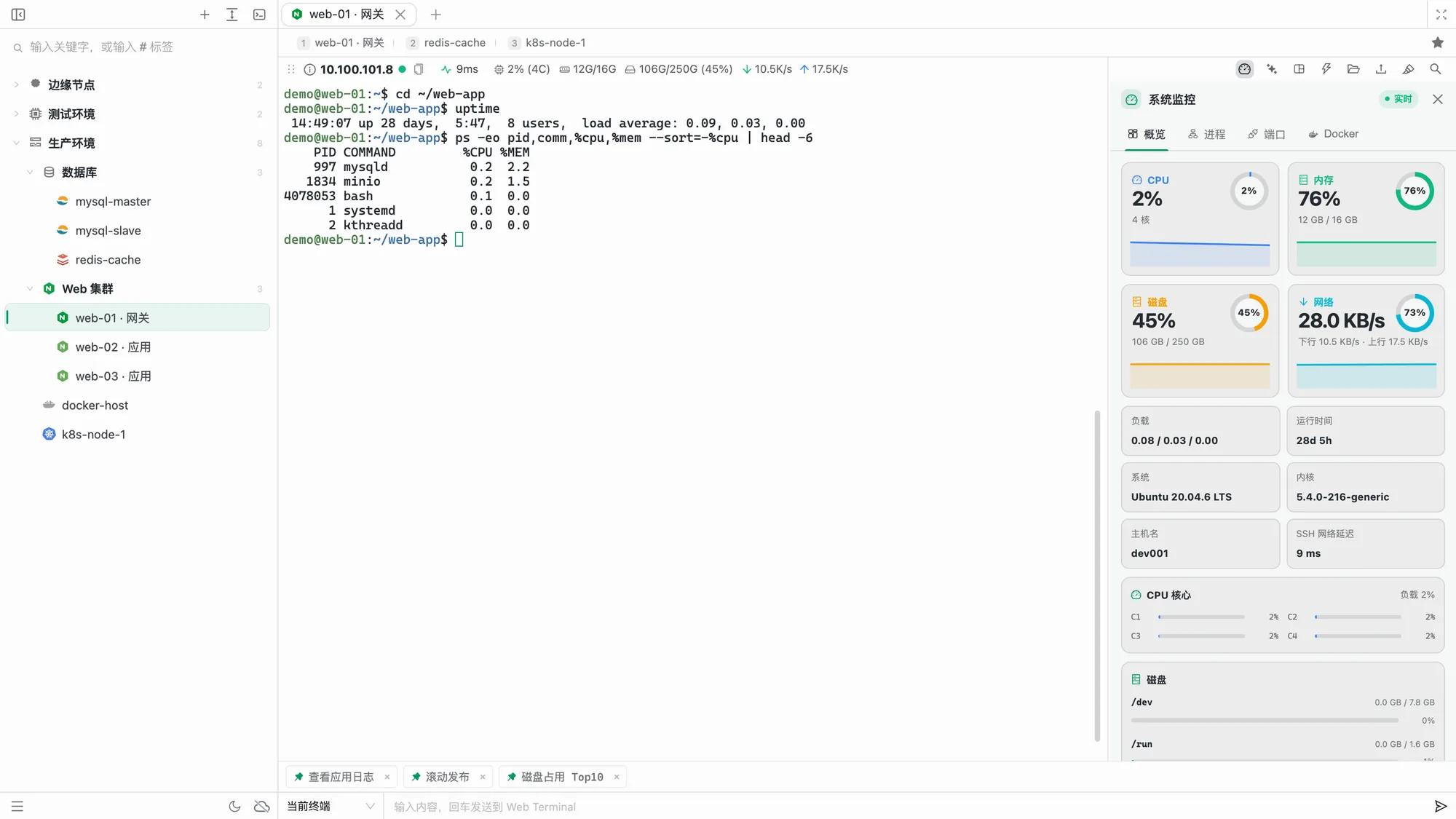
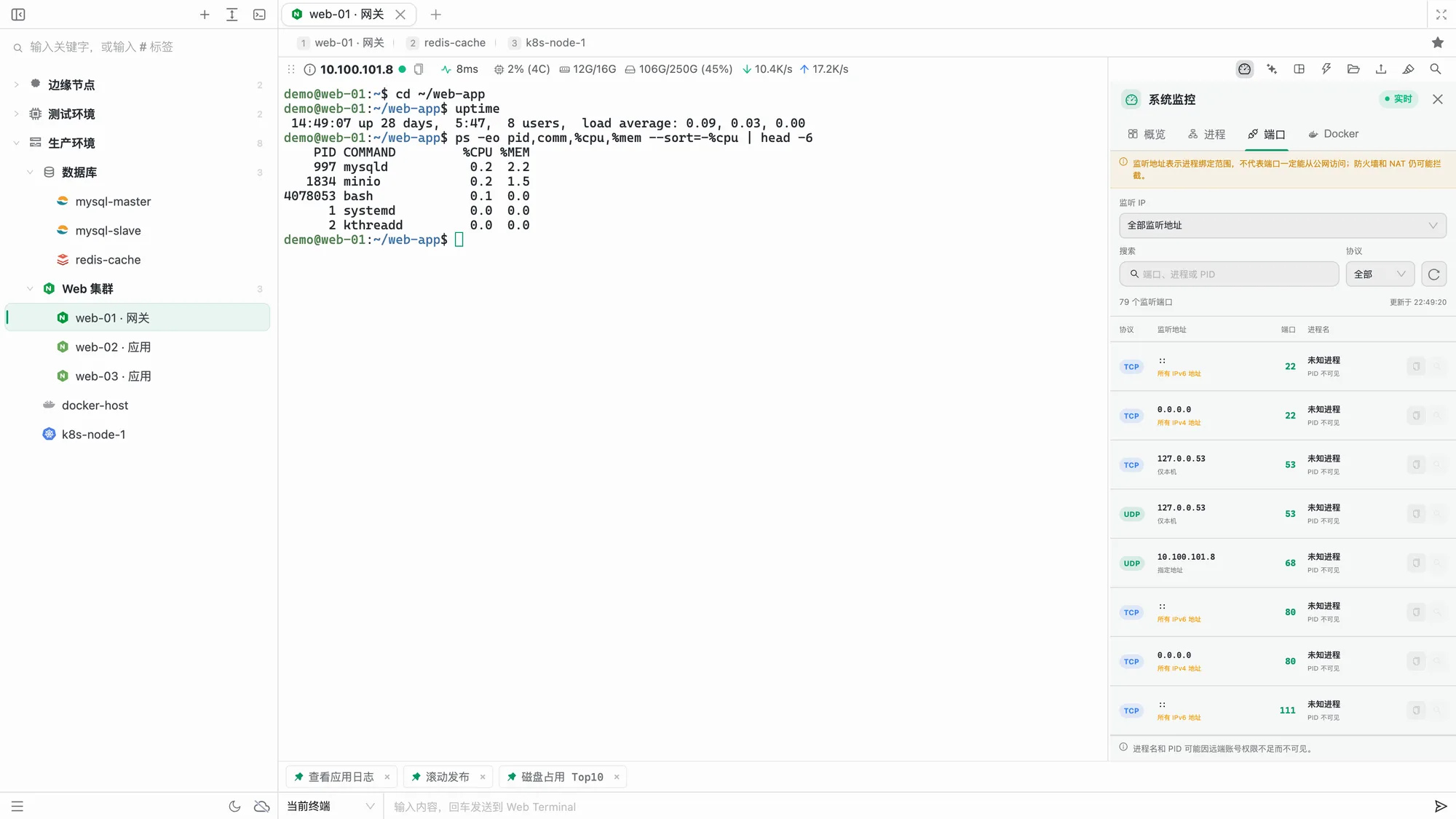
Monitor CPU, memory, disks, networks, sortable processes, and Docker containers (details, logs, and shell access). Query listening ports on demand and find what fills a disk with directory analysis.
🔀
SSH tunnels
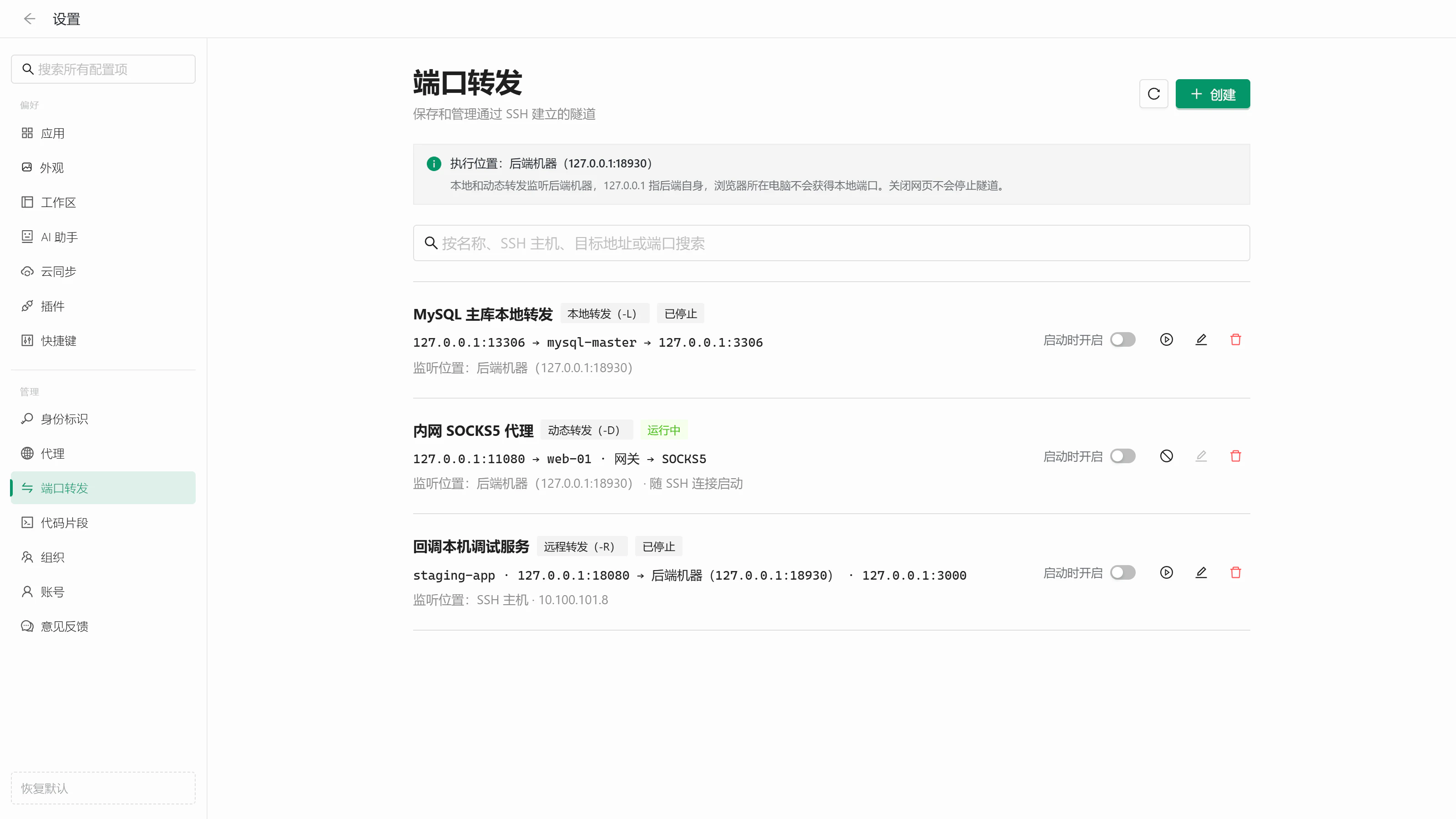
Manage local (-L), remote (-R), and dynamic SOCKS5 (-D) forwarding rules in one place. Start them with the backend or with an SSH connection, reusing its jump hosts and proxies.
🔁
Sync across devices
Keep connections, identities, favorites, snippets, and settings in sync with end-to-end encryption. Choose what to sync, and use the official cloud, GitHub Gist, or a private GitHub repository.
🔐
Secure, resilient connections
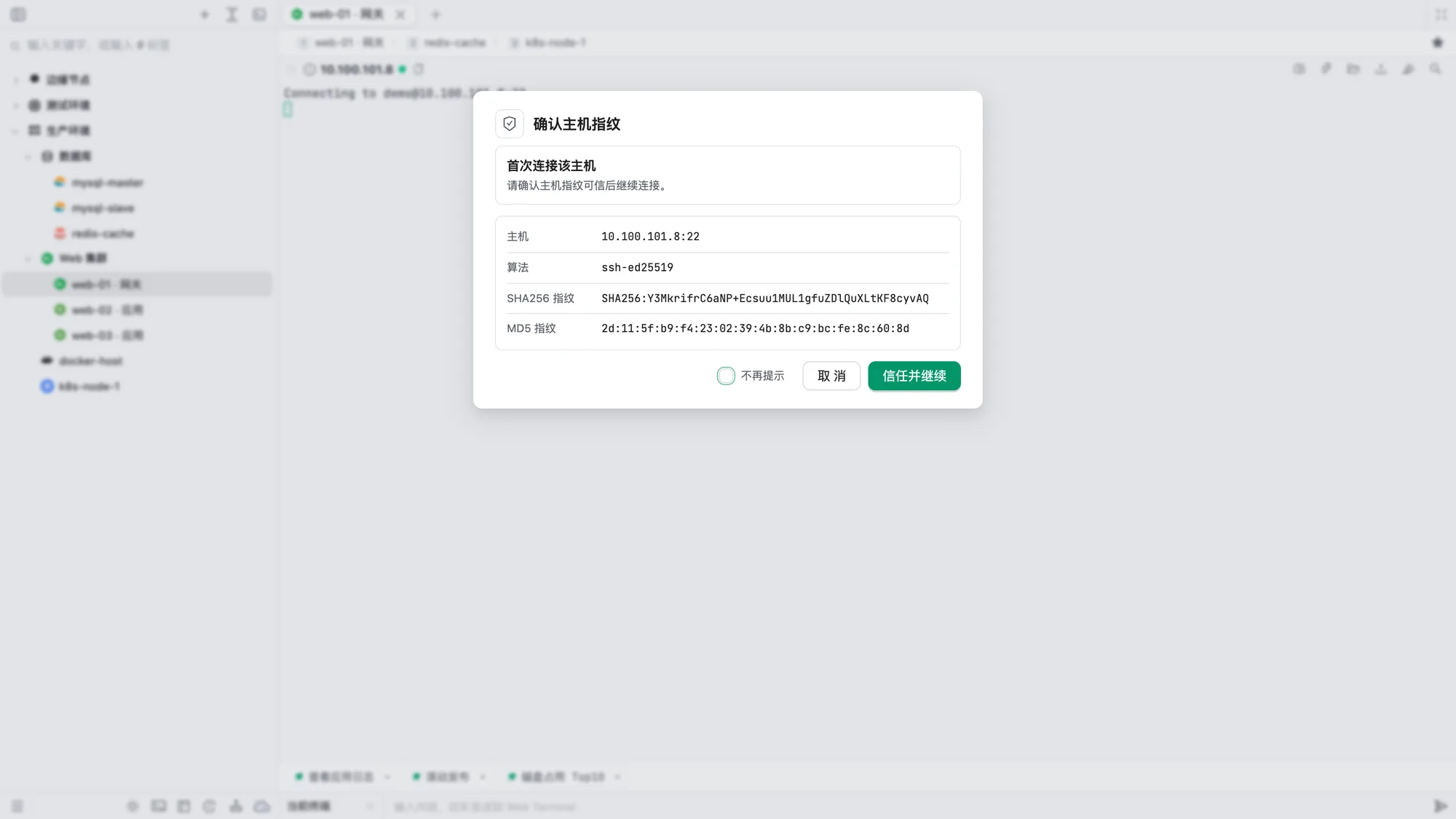
Manage identities in one place with encrypted passwords and private keys. Verify host fingerprints, answer OTP and other interactive prompts, and reconnect automatically while keeping earlier output.
🧭
Jump hosts and proxies
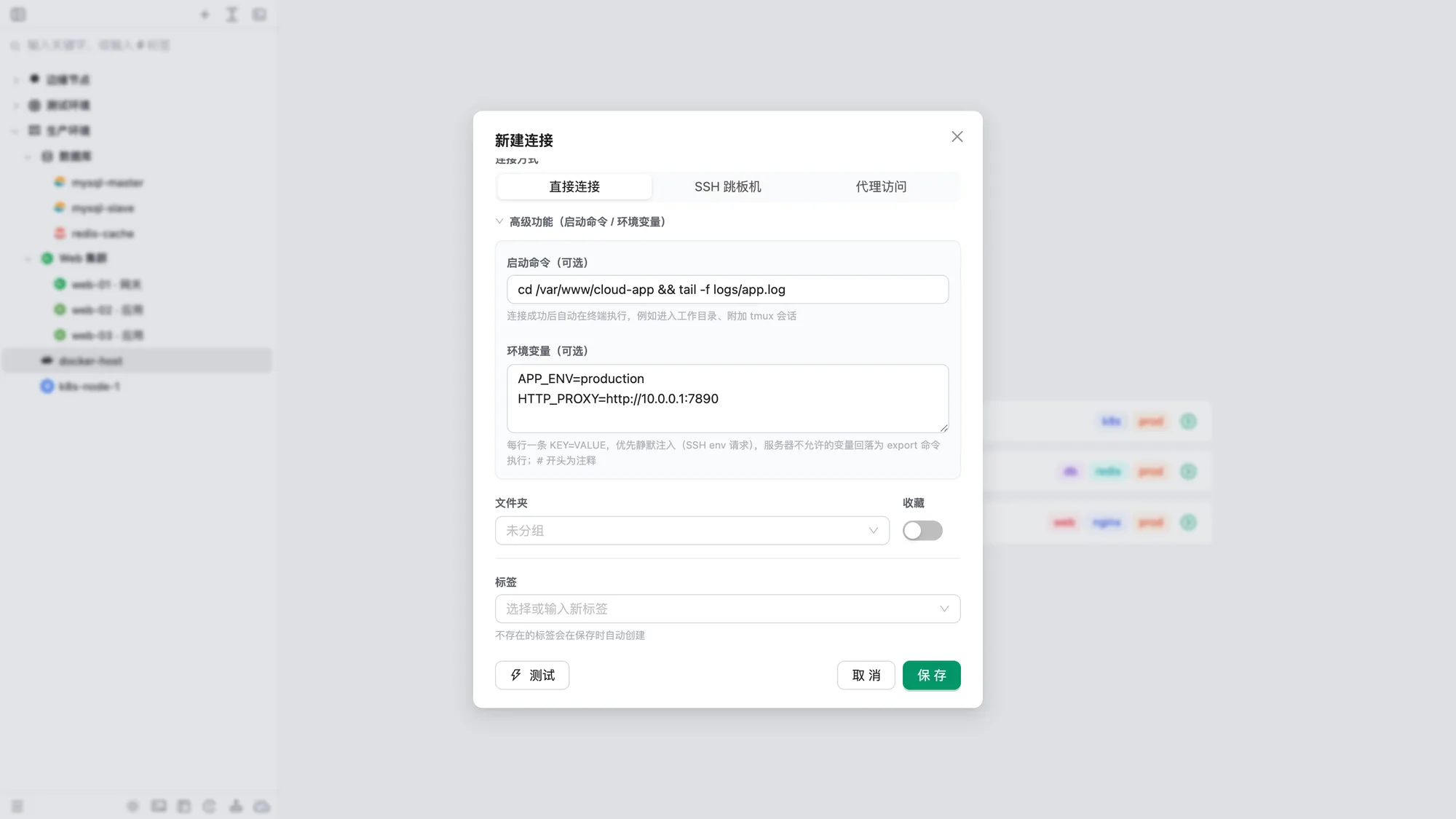
Connect directly, through SSH jump hosts (including multi-hop chains), or via saved proxies you can test in one click. Configure startup commands and environment variables for each host.
👥
Team collaboration
Share connections and snippets with your organization. Manage roles, separate collections, maintain an SSH public key directory, and review audit logs.
🚚
Easy migration
Import connections, including jump hosts and proxies, from Xshell, SecureCRT, MobaXterm, PuTTY / KiTTY, FinalShell, WindTerm, electerm, OpenSSH, or CSV / Excel. Shortcut presets for these clients are built in.
🖥️
At home on every platform
Enjoy the same experience on the web and Windows / macOS desktop apps. Desktop adds local terminals, tabs you can drag into new windows, a system tray, an Explorer context menu, and automatic updates.
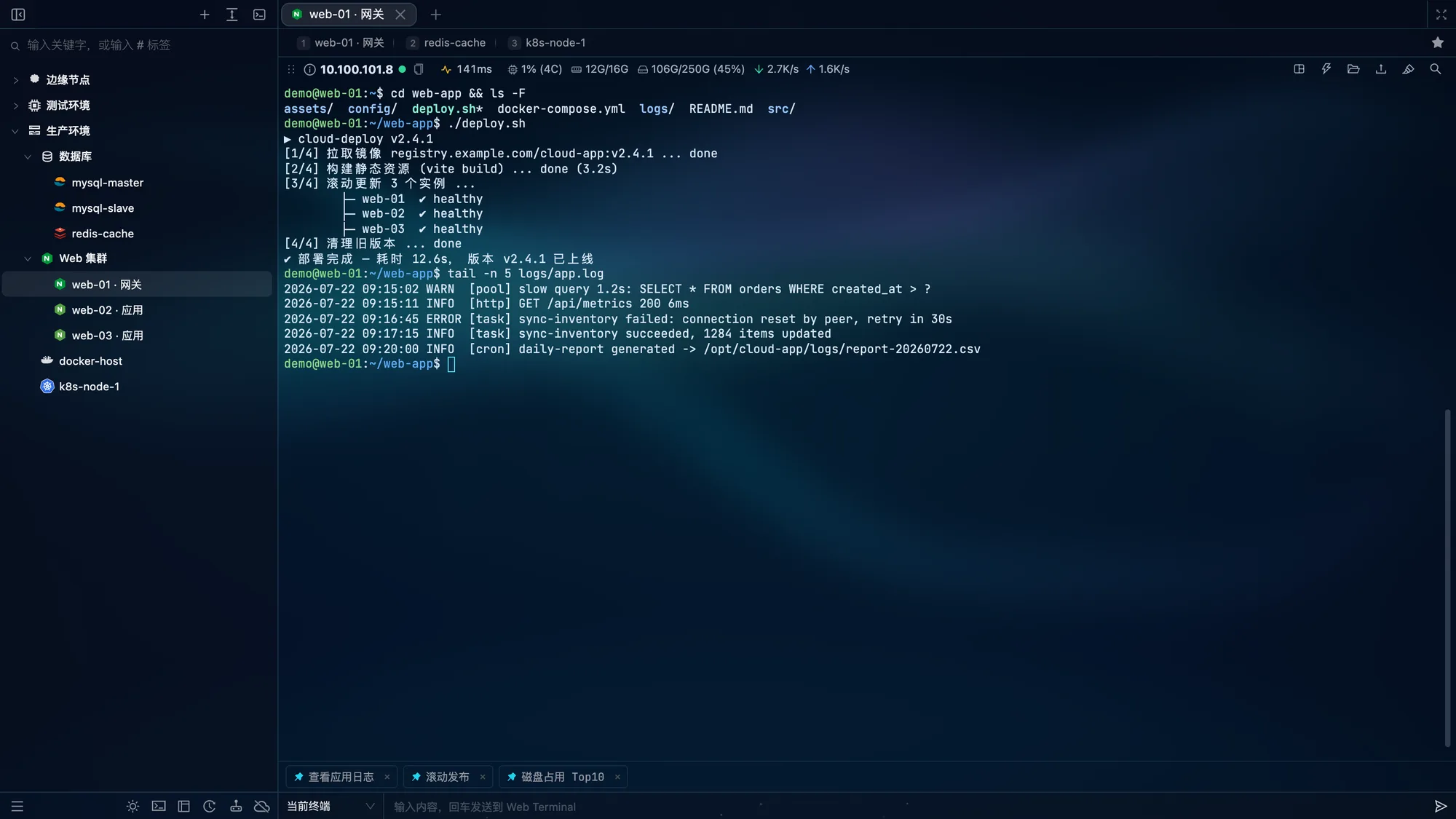
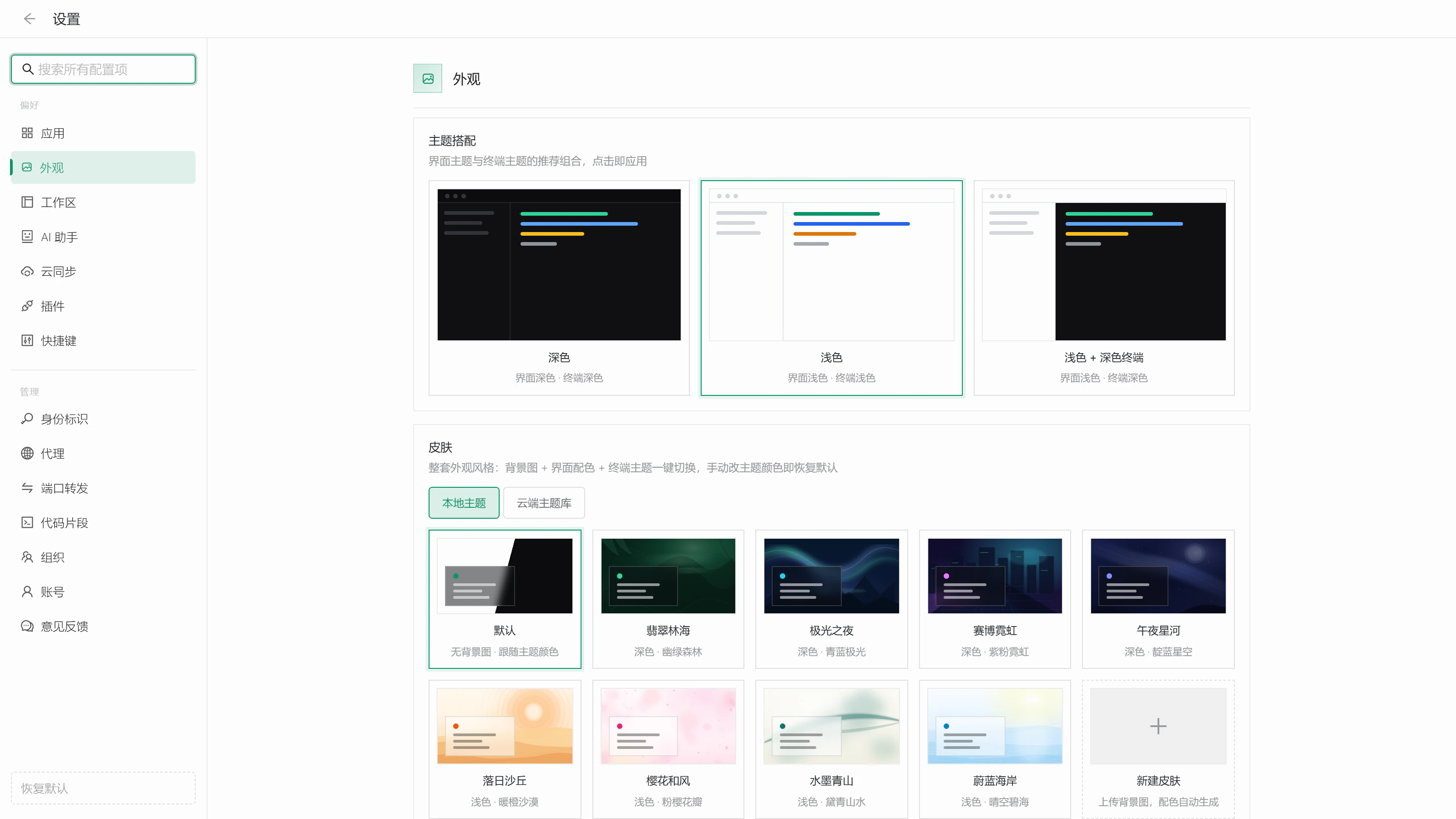
Manage connections, SSH terminals, live monitoring, and favorites in one place. Preview three theme combinations and four skins, just as you can in the app:
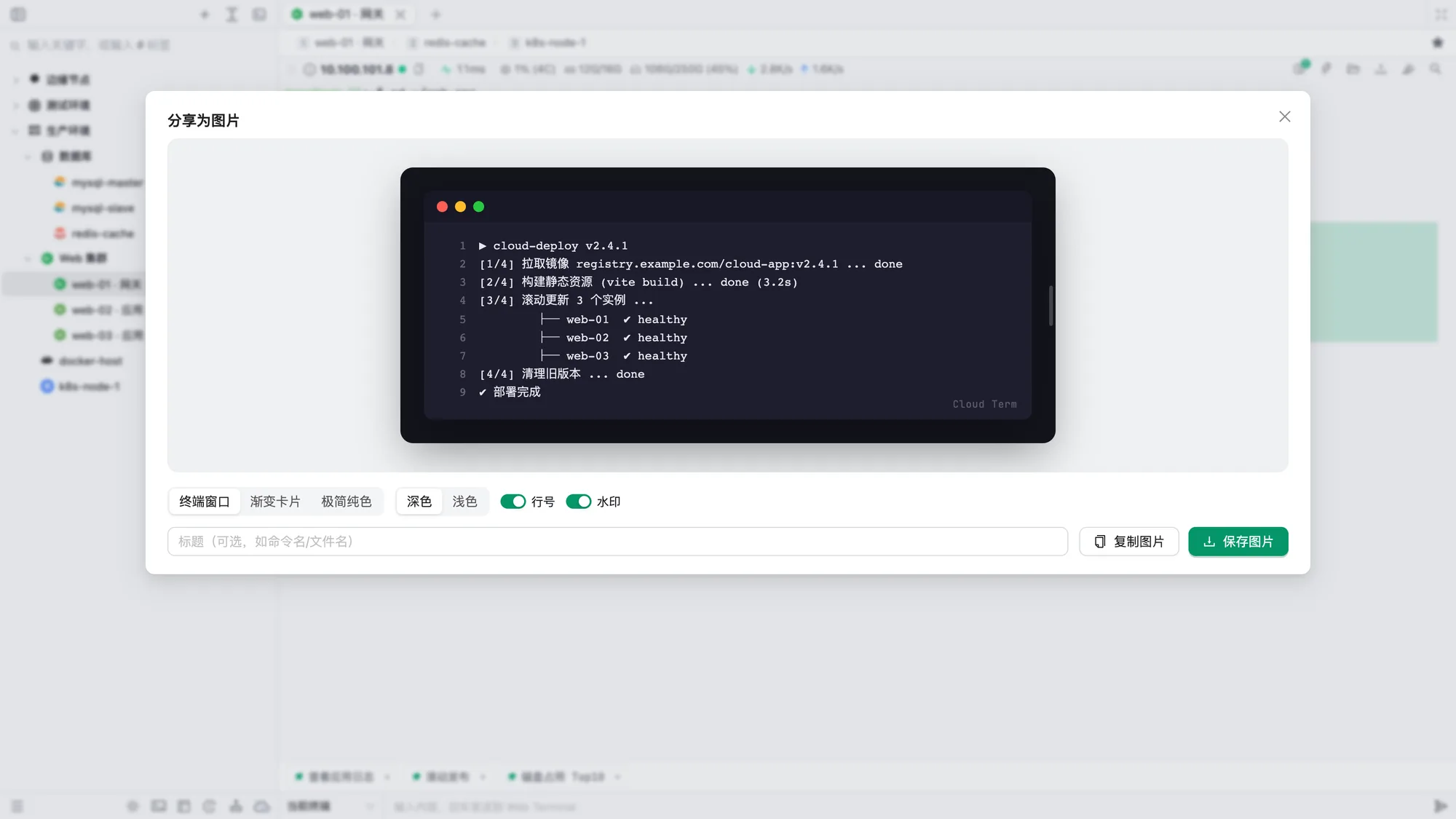
Open SFTP inside the terminal without switching toolsTurn selected output into an editable code cardSet reconnection, startup commands, and environment variables per hostVerify host fingerprints on first connection
AI, monitoring, and disk analysis beside your terminal
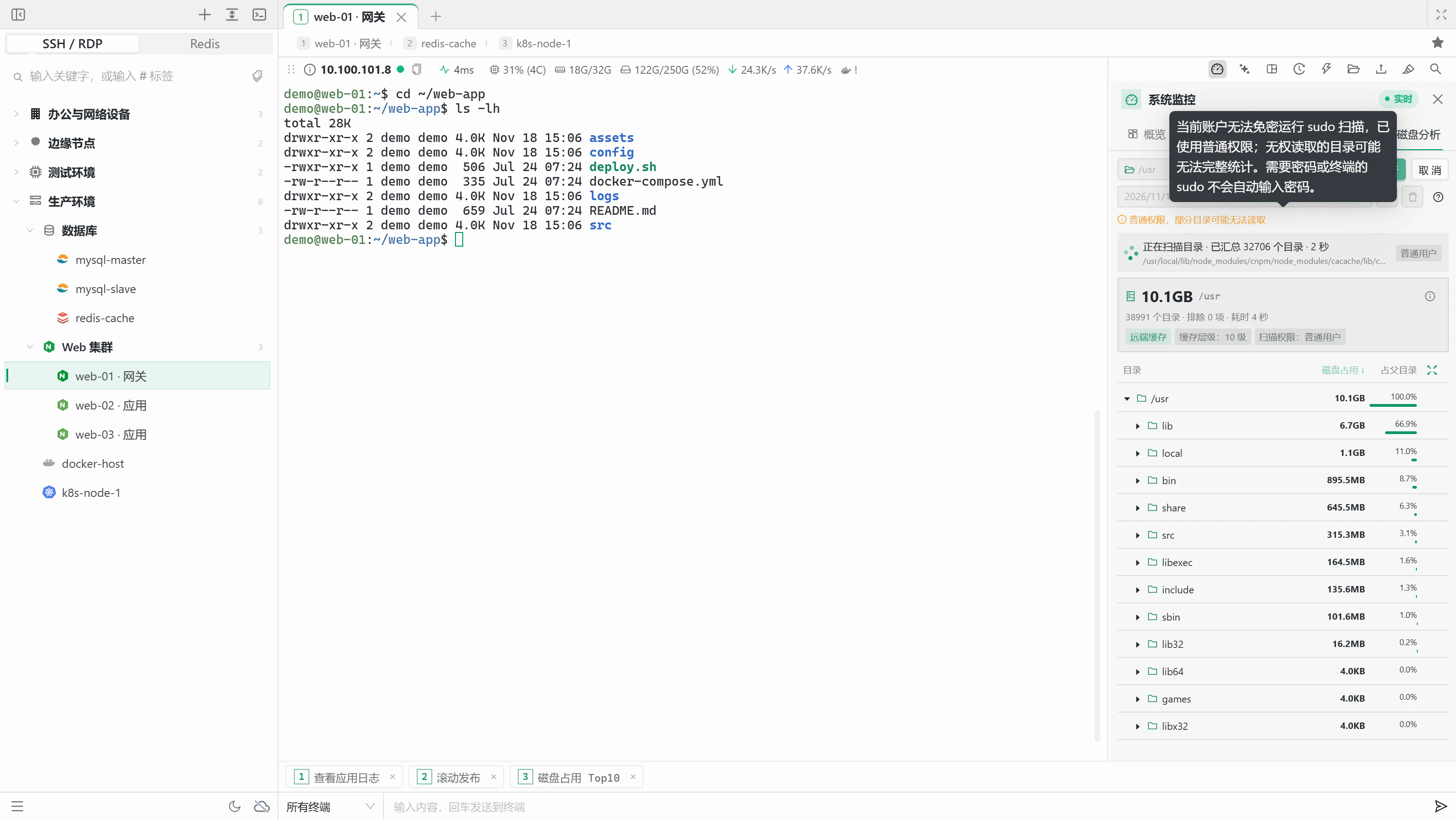
No more copying logs elsewhere or switching between tools. The AI assistant reads your terminal context and runs commands within the permissions you set. System monitoring keeps resources, processes, ports, Docker, and disk analysis in one side panel.
The AI reads terminal context, runs permitted commands, and summarizes resultsOverview: resource trends, host details, disks, and network interfacesOn-demand ports: listen address, protocol, process, and PIDDisk analysis: drill into directories to find what uses space
Beyond SSH: Redis, Telnet, serial, RDP, and tunnels
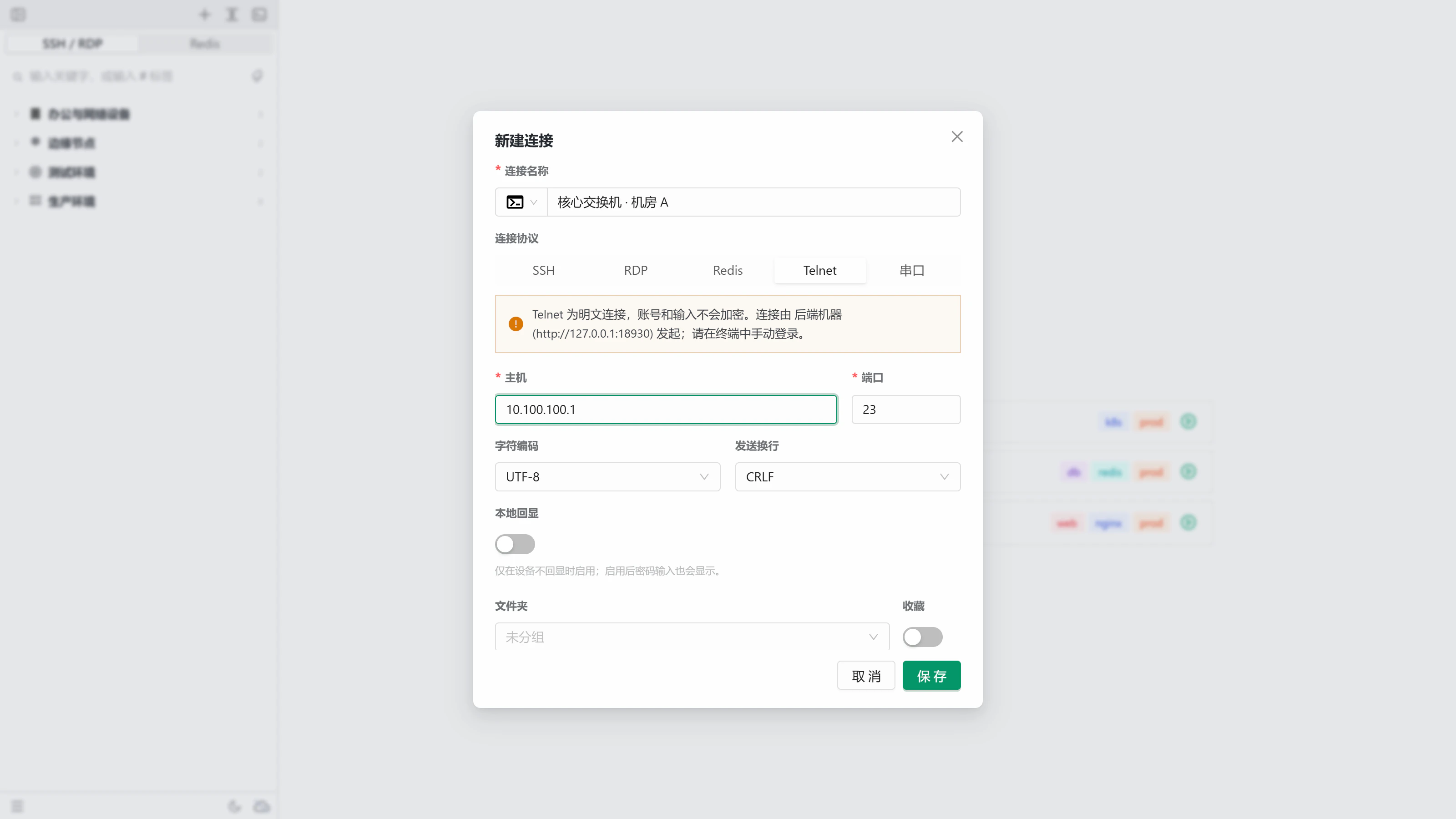
Keep databases, network devices, and Windows desktops in the same connection tree. Redis supports standalone, Sentinel, and Cluster modes, including access through jump hosts. SSH tunnels save your port forwards as rules you can start and stop in one click.
A redis-cli style terminal with live INFO metricsBrowse INFO by section, with field descriptionsSSH, RDP, Redis, Telnet, and serial in one connection formLocal, remote, and dynamic SOCKS5 tunnels in one place
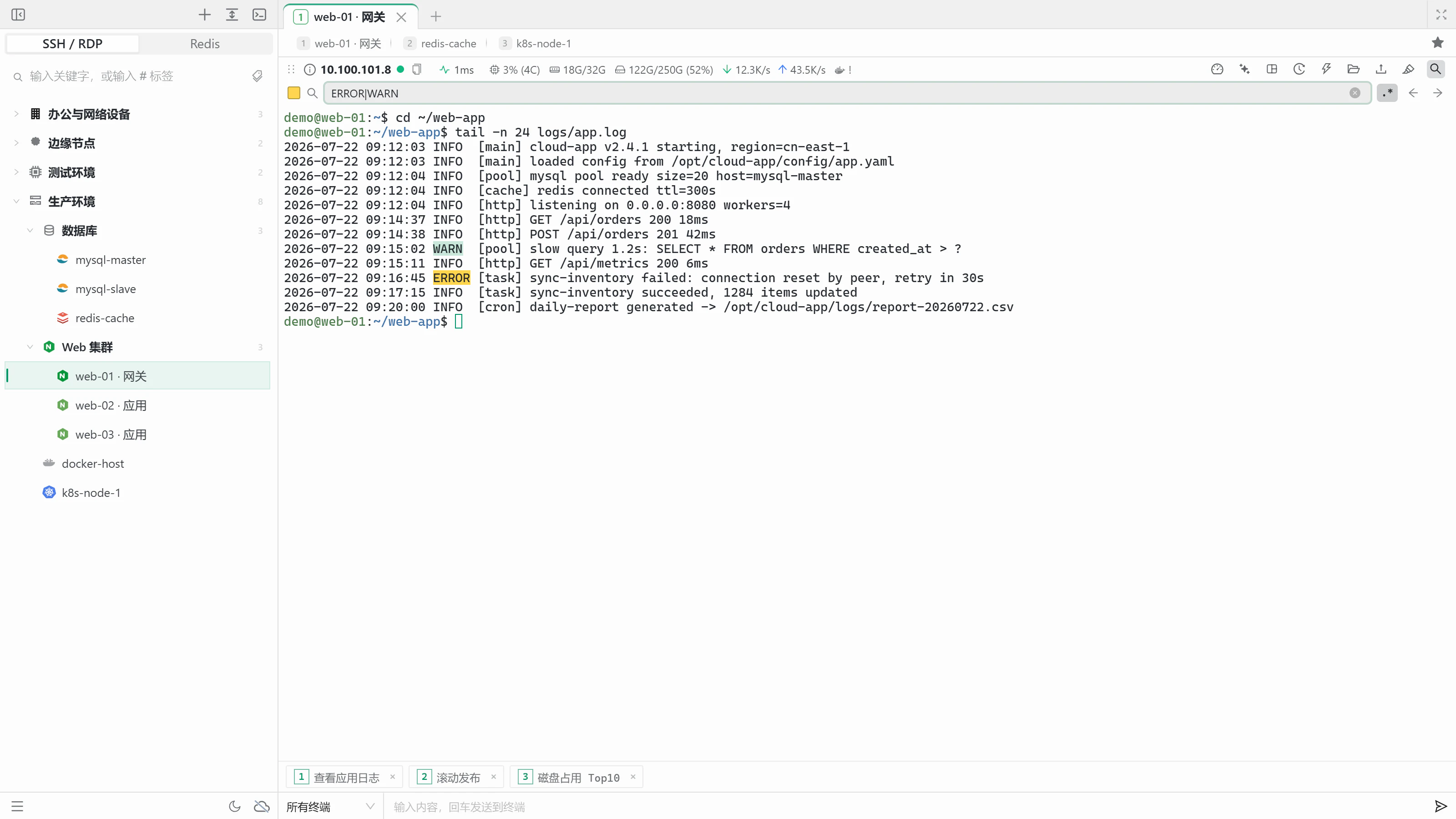
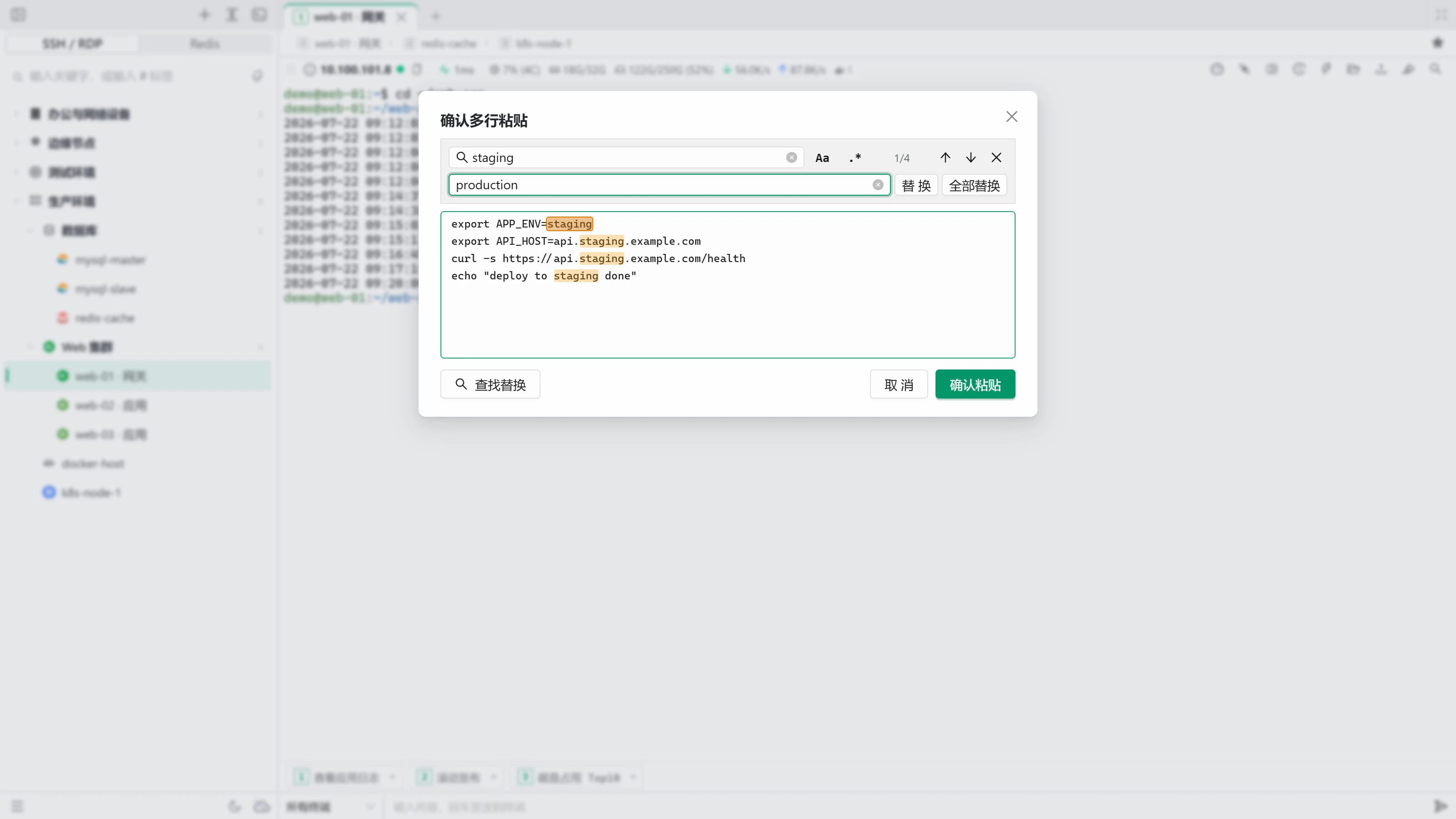
Edit configuration, search logs, and paste command batches without leaving the terminal.
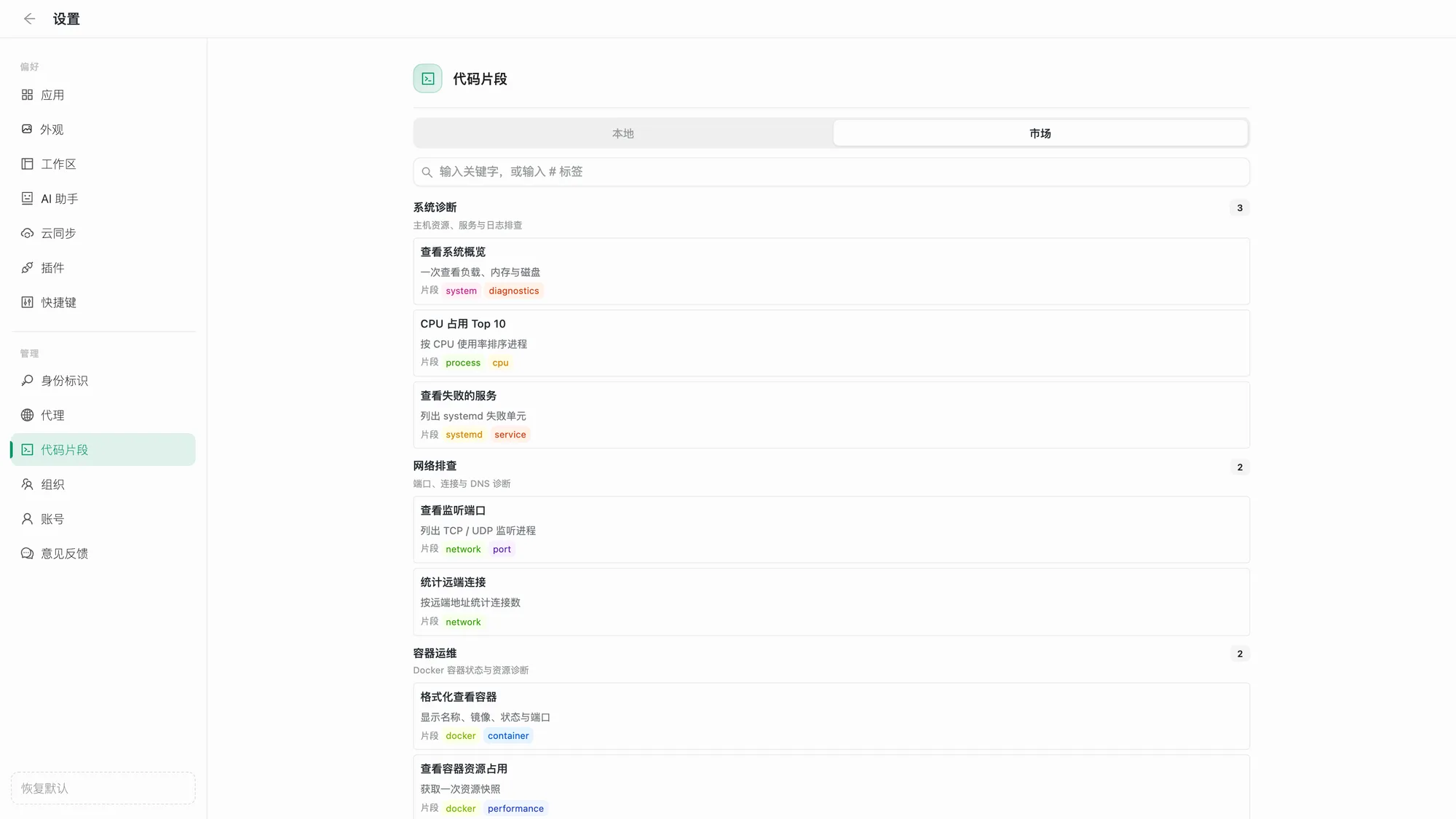
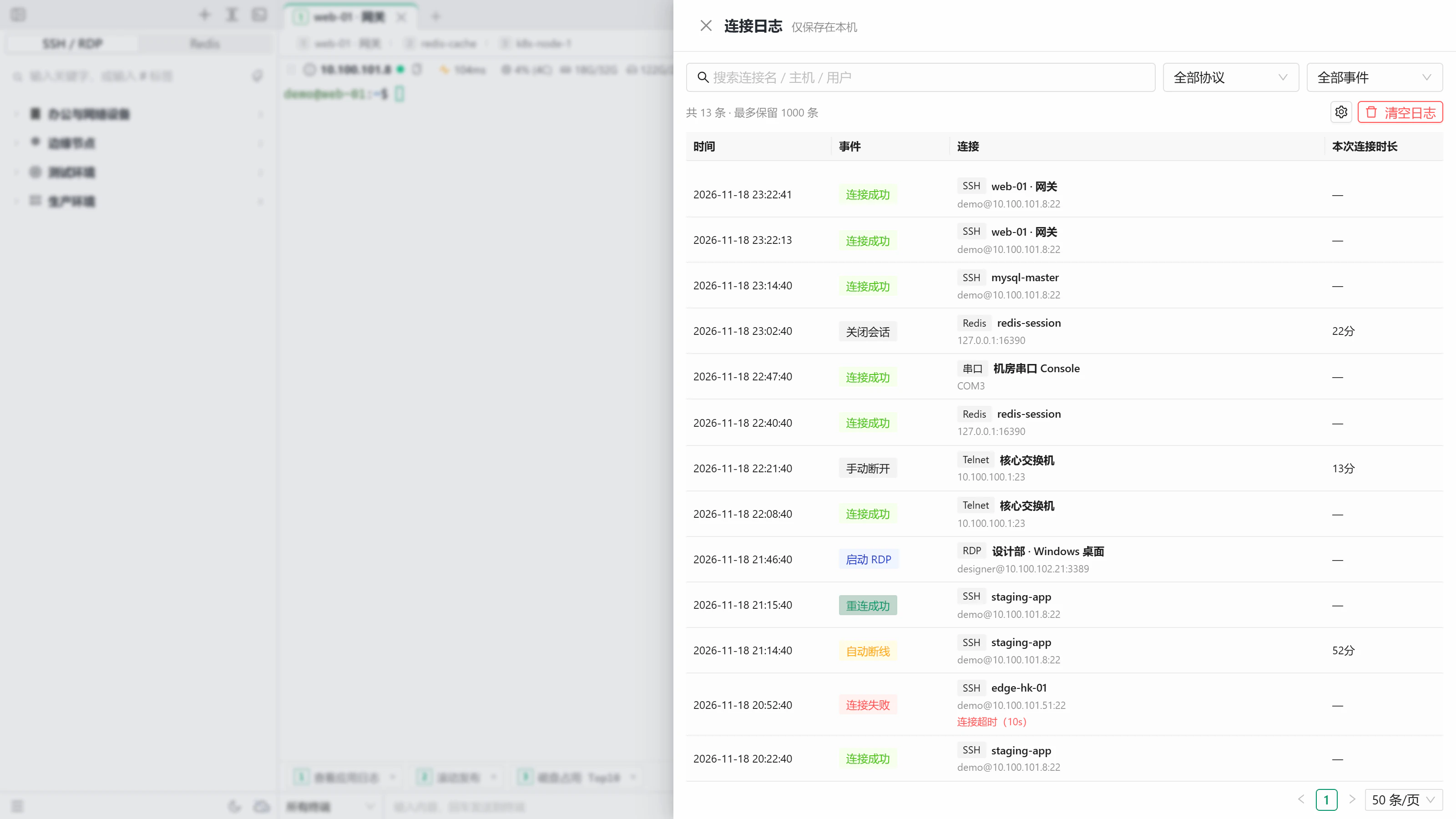
Grid view, full screen, multi-select, and batch actionsEdit remote configuration files with conflict detectionSearch with regular expressions to highlight several keywordsConfirm multi-line pastes, with find and replace before sendingAdd useful commands from the marketplace in one clickThe connection log records connects, drops, and reconnects
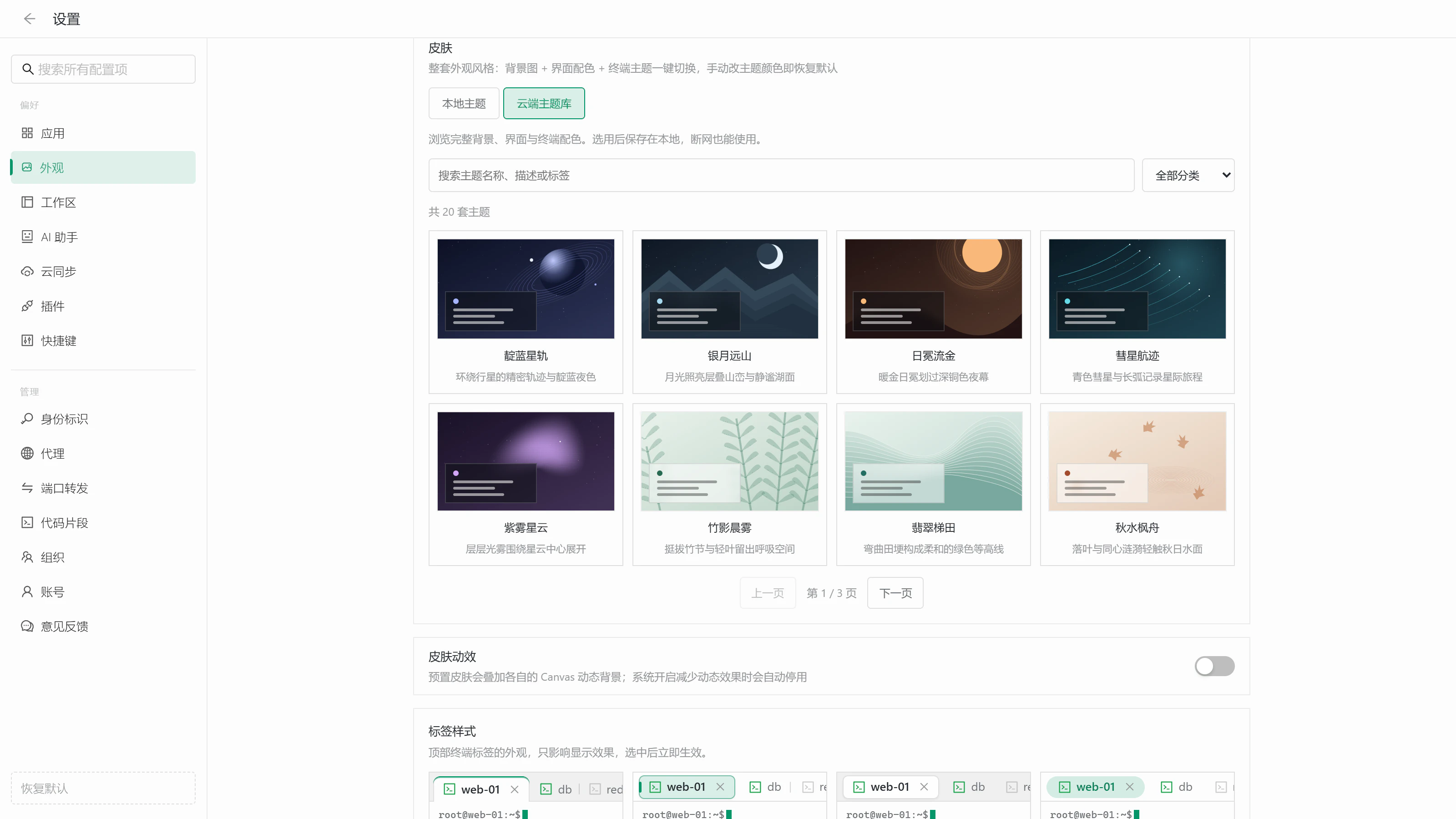
A skin combines a background, interface colors, and a matching terminal theme, so one click changes the whole look. Choose from eight built-in skins, download more from the cloud theme library, or upload your own wallpaper and generate colors from it.
Aurora Night · DarkSakura Breeze · LightCloud themes stay available offline after you choose them (browse all)Sixteen built-in cursor styles, plus a cloud library (browse all)
Switch the look of the terminal tabs in Settings → Appearance → Tab style. It only changes how tabs look and applies immediately.
Joined card (default) · The active tab merges into the terminalFloating capsule · Tinted fill with a leading accentRaised card · A light card on a darker barPill · Fully rounded, accent-colored textOutlined card · Every tab has a borderFlared card · Curved bottom cornersRetro pixel · Stepped corners and hard shadowsChevron chain · Interlocking arrows
Command completion for 45+ common CLIs, accepted with TabFile previews: Cmd/Ctrl+click images, logs, and MarkdownPinned commands: select, pin, and send with one clickTask notifications tell you when long commands finish